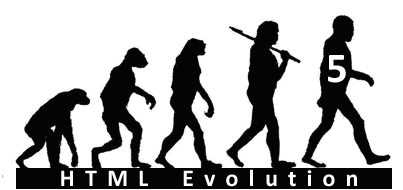
Did you know that the theory of evolution doesn’t just apply to mankind?
It has been over 20 years since the first release of HTML, Hyper Text Markup Language. The web is constantly evolving. HTML has gone through a series of rapid evolutionary steps—from simple text to adding images to coding in CSS styles. HTML5 is the next generation of HTML. It is a new standard for HTML, XHTML and the HTML DOM. The previous version, HTML 4.0 has been around for over a decade now. HTML5 is still a work in progress, a joint effort between W3C HTML and WHATWG. Many key players are participating in this effort including four major browser vendors: Apple, Mozilla, Opera, and Microsoft.
Everyone is talking about it—so what are the most appealing segments in HTML5? It can be broken down in five main segments. Core Page Structure, Visual Presentation, Graphical Tools, Rich Media Support, and Enhancement of JavaScript. Some elements are deleted or re-written in HTML5.
Let me start by asking simple question: Who has some experience in coding page in HTML? My guess is that all of you reading this have some experience with HTML. The good news is that as with previous evolutions, HTML 5, too, will not required you to learn and un-learn much. In fact, with HTML 5 there will be an even easier and simpler coding structure with the syntax becoming even more meaningful.
So, let’s take a look at the five segments I mentioned above:
|
HTML5 |
Previous HTML version |
| Core Tag Structure |
 |
 |
|
HTML5 introduces whole new common elements such as header, navigation, articles, section, aside, footer, etc. that make it much easier to structure webpage. The role of these elements is to better describe specific parts of the document. See below new code structure and compare yourself—isn’t it amazing?
<body>
<header>…</header>
<nav>…</nav>
<article>
<section>
…
</section>
</article>
<aside>…</aside>
<footer>…</footer>
</body>
Want to glimpse at the complete list of HTML5 elements and attributes? |
|
| Graphical Tools |
Now, you can create mathematically generated images. The new format is called SVG, scalable vector graphics. SVG is an XML-based language that describes how an image should be displayed in 2D (two-dimensional).
So do you want to create basic shapes such as square, circle or star? May be a smile face, you can easily create most complex drawing by using SVG. Also you can apply color, gradients, text interactivity and JavaScript to your SVG drawings. And list goes on and on… |
HTML has provided support for pixel-based (raster graphics) images such as JPG, GIF, etc. format. Means, you have to include shapes as an image. |
|
If you are comfortable working in HTML code then you will feel comfortable working is SVG as well. |
|
| Rich Media Support |
Yay!! Most exciting; central player in HTML5. The new elements—VIDEO and AUDIO allows you to easily add video and audio files to your website. Means, you don’t need to rely on Flash or other media to provide that functionality. There are two readable formats you can choose as a source file: Ogg and MPEG4. See below simple Tag you need to insert in your webpage:
<video controls>
<source src=’your video name.ogv’>
<source src=’your video name.mp4’>
</video>
<audio controls>
<source src=’your video name.oga’>
<source src=’your video name.mp3’>
</audio> |
Need to rely on media such as Flash. Currently, a widely deployed plug-in to provide functionality which provides a cross-browser compatible solution. |
|
The challenge that you might face with using HTML5 is getting your video to play back on Apple’s Safari and Microsoft IE9. Both browsers DO NOT support Ogg. Arghh! Split standards. You need to use the other media standards, MPEG4 to make it work.
To cut a long story short, there will be no distraction by the complexities of inserting video into a webpage; your focus will be on the creation of content. I’m loving it….already! Adding video and audio will be as easy as inserting an image. |
With all these enhancements, you might be wondering if browsers will continue to support a website developed in HTML4 or older version? My gut feeling is that this should not be of concern for at least a few more years because even though HTML5 does not support many older elements, it does not mean that your favorite browser will drop support of these as well. As always, you will just need to check cross-browser compatibility to see which ones are allowing your webpage to render correctly.
CSS, SVG, Video, and Audio are all great improvements to HTML5. But wait….don’t start using all these—HTML5 is not W3C recommendation yet—not all browsers are supporting it so be patient until next year!
Stay tuned for more updates…
References:
W3C’s HTML: http://www.w3.org/html/wg
Web Hypertext Application Technology Working group: http://www.whatwg.org
http://simon.html5.org/html5-elements